

Webhooks
WeTravel's webhooks allow enterprise clients and software partners to build into our platform. They inform users about events happening on WeTravel, so they can update their internal systems with this information.
Enable Webhooks
By default, webhooks are disabled for all accounts. To enable them go to the Profile --> Edit Profile, find the "Webhooks" section and click the "Yes" button.
NOTE: You will first need to generate an API key in order to see the "Webhooks" section in your profile page.

Webhooks Enabled
Add New Endpoint URL
After enabling webhooks, click on "Manage Webhooks" to add an endpoint URL. Another window will open where you can add an endpoint by clicking on the button on the top right "+ Add Endpoint"
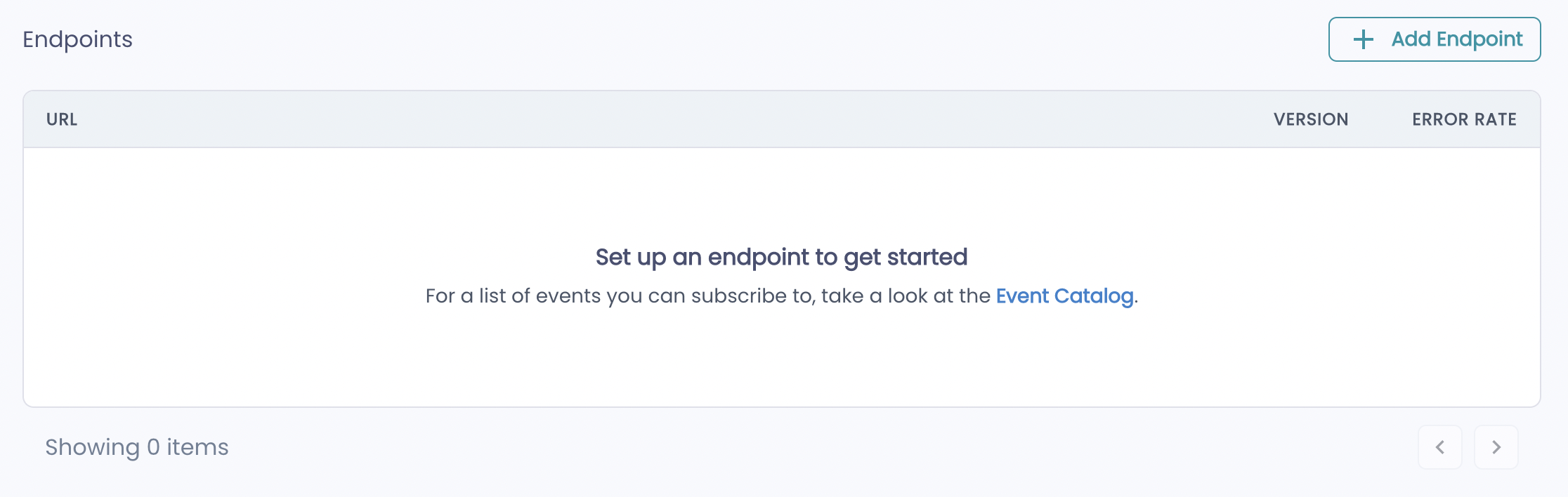
Endpoint List
When you add a new endpoint, you can configure it to listen for a specific event or all events.
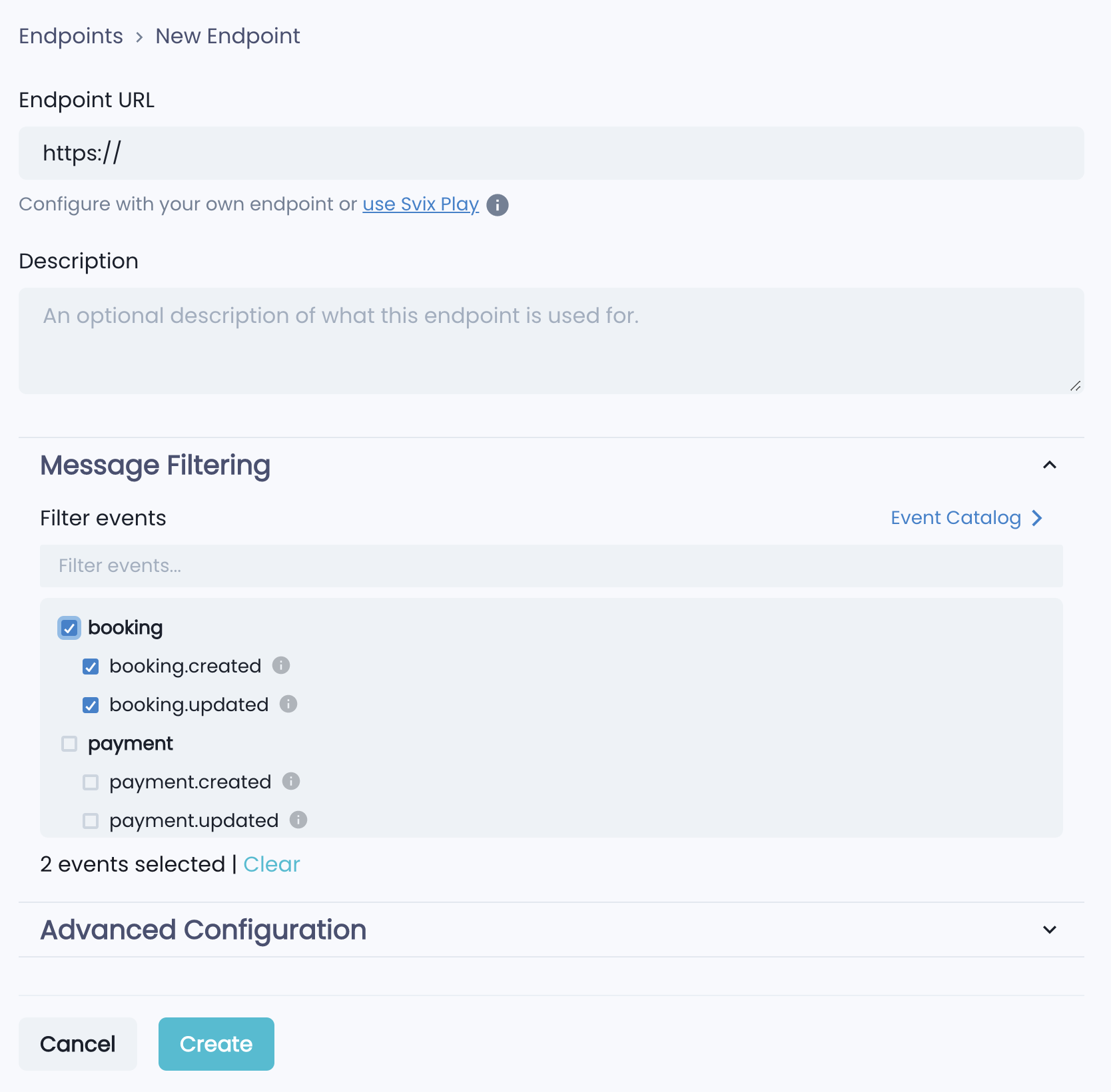
Endpoint Configuration
You can add multiple webhook endpoints that can listen for events.

Endpoint List
You can edit, delete or disable existing endpoints by clicking on them and making changes in the subsequent endpoint manager.
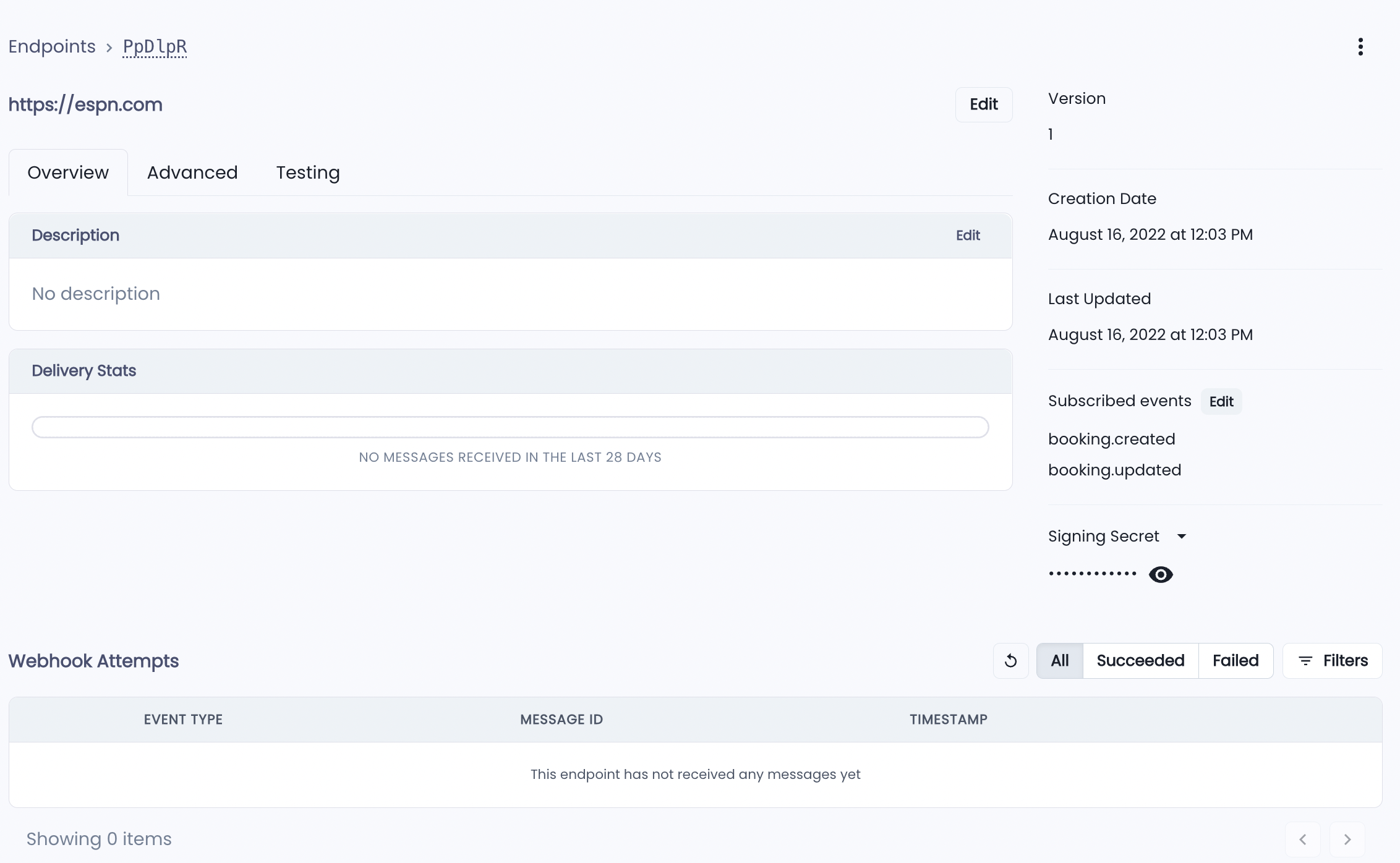
Endpoint Manager
Event Types
You may use webhooks to receive events, such as booking created and updated. All the events are grouped into event types which can be subscribed to. A list of all event types with a detailed structure and examples can be found on the "Manage Webhooks" page under the "Event Catalog" menu button.
Supported Event Types
| Name | Description | Triggers |
|---|---|---|
| booking.created | This event is fired when a new booking is created. |
|
| booking.updated | This event is fired when a booking is updated. |
|
| payment.created | This event is fired when a new payment is made. |
|
| payment.updated | This event is fired when a payment is updated. |
|
| transaction.created | This event is fired when a new transaction occurs. |
|
| transaction.updated | This event is fired when a transaction is updated. |
|
| trip.published | This event is fired when a new trip is published. |
|
| lead.created | This event is fired when a new lead is created. |
|
| lead.updated | This event is fired when a lead gets updated. |
|
Updated about 1 year ago